Hi, just figured I’d share. We have a somewhat crazy need at work to create Components for USD so I created a helper library. github.com/beatreichenbach/houdini-component-builder I’m using it in github.com/beatreichenbach/houdini-megascans and also in some unreleased polyhaven bridge and other plugins. Maybe it comes in handy for anyone else.
Archived post by zspc
Put this together for the cgwiki server and thought I’d share it here too in case anyone finds it helpful~
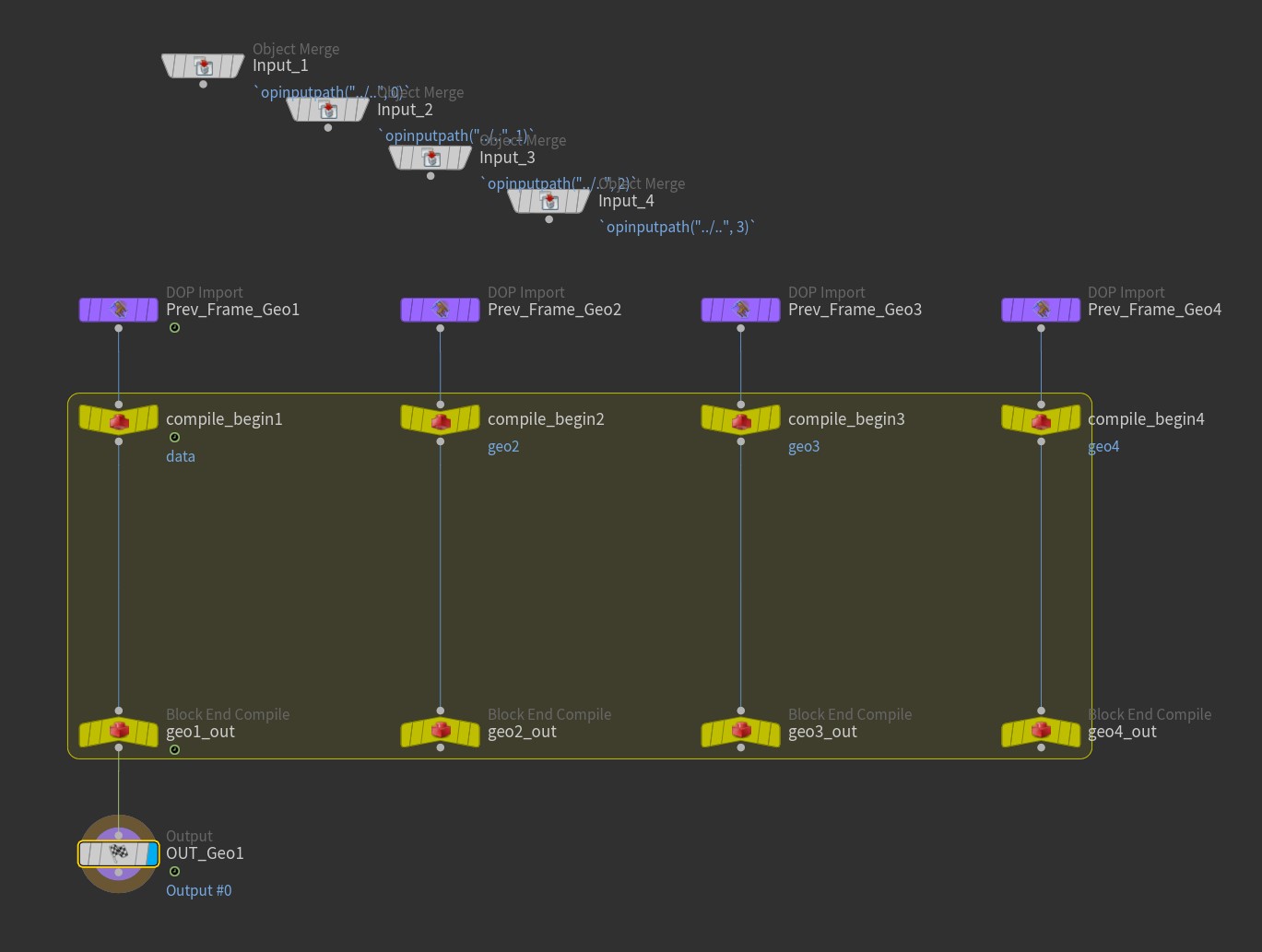
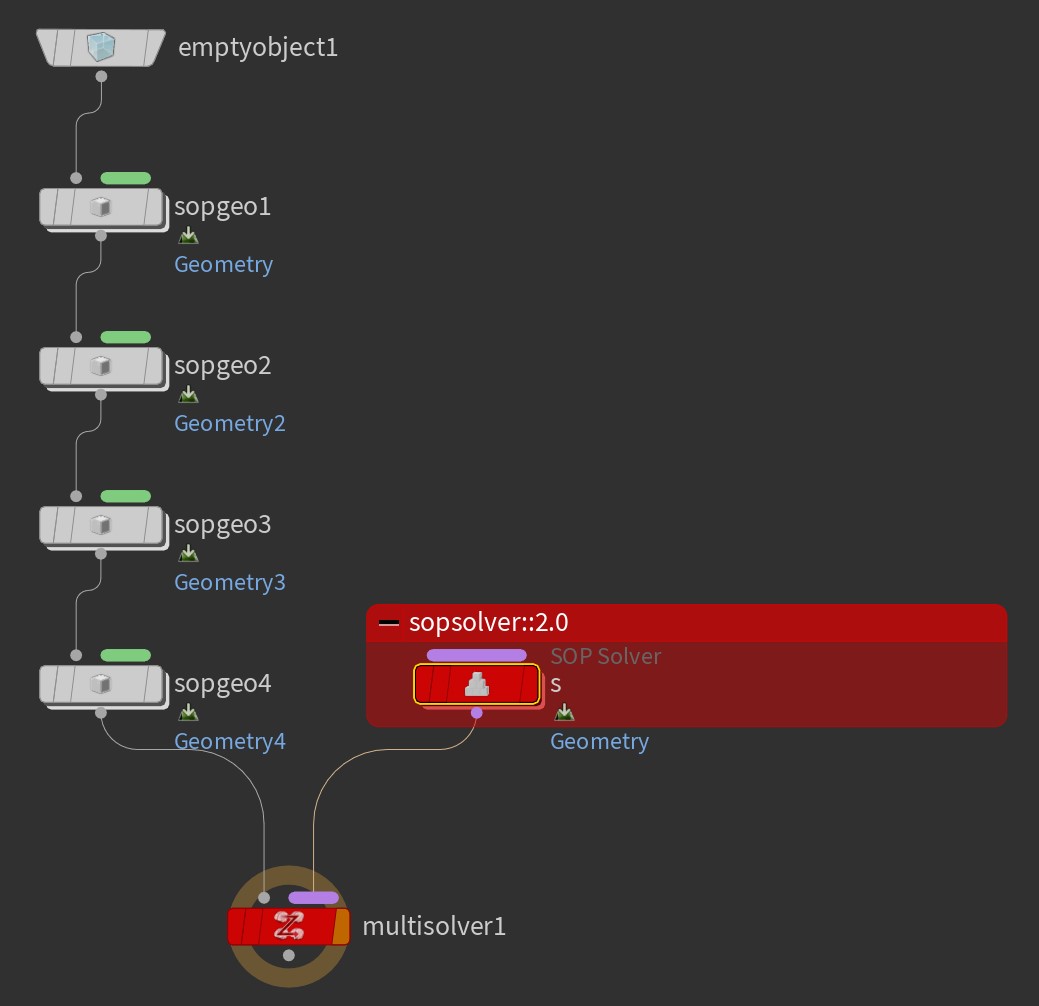
The Solver SOP can only modify one stream of geo, but if you break it open and replace the internal SOP Solver DOP with the sopsolver::2.0 and check on “Use Compiled Block” and set up the DOP data and multiparm, you can create a “Multistream Solver” SOP that can modify multiple data streams
I threw together a quick example file, and also an HDA already set up for modifying up to 4 streams and put it on github github.com/conlen-b/cb-houdini-tools/tree/main/hip-quips#multistream-solver-sop
Attachments in this post:
http://fx-td.com/houdiniandchill/wp-content/uploads/discord/20264709/17/26/MultistreamSolverSOP.jpg
http://fx-td.com/houdiniandchill/wp-content/uploads/discord/20264709/17/26/MultistreamSolverSOP_DiveTarget.jpg
http://fx-td.com/houdiniandchill/wp-content/uploads/discord/20264709/17/26/MultistreamSolverSOP_InternalDopnet.jpg
Archived post by jim.meston
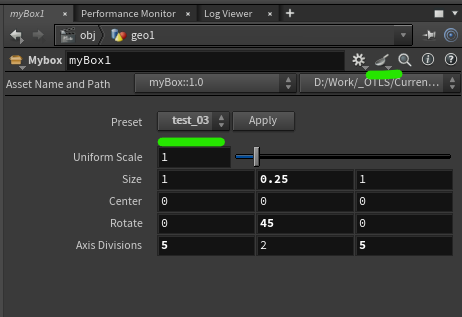
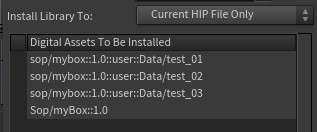
No I just meant you can save them into the actual HDA asset. So if you have something like weavetastic.hda you can just save them on that so there isn’t an extra recipes asset floating around. Not saying it is better etc…
Recipes were pretty flakey for a while.
And not as in the pastry.
Example of recipe saved on asset. Menu system on the HDA to pick up any recipes saved on it just incase you want to make it very obvious and more accessible. Just save any recipes to the HDA and the menu is obvs auto populated. Etc. blah.
Attachments in this post:
http://fx-td.com/houdiniandchill/wp-content/uploads/discord/20262209/17/26/image.png
http://fx-td.com/houdiniandchill/wp-content/uploads/discord/20262209/17/26/install_hda.jpg
http://fx-td.com/houdiniandchill/wp-content/uploads/discord/20262209/17/26/myBox_recipe_menu_example.hda
Archived post by aswaab
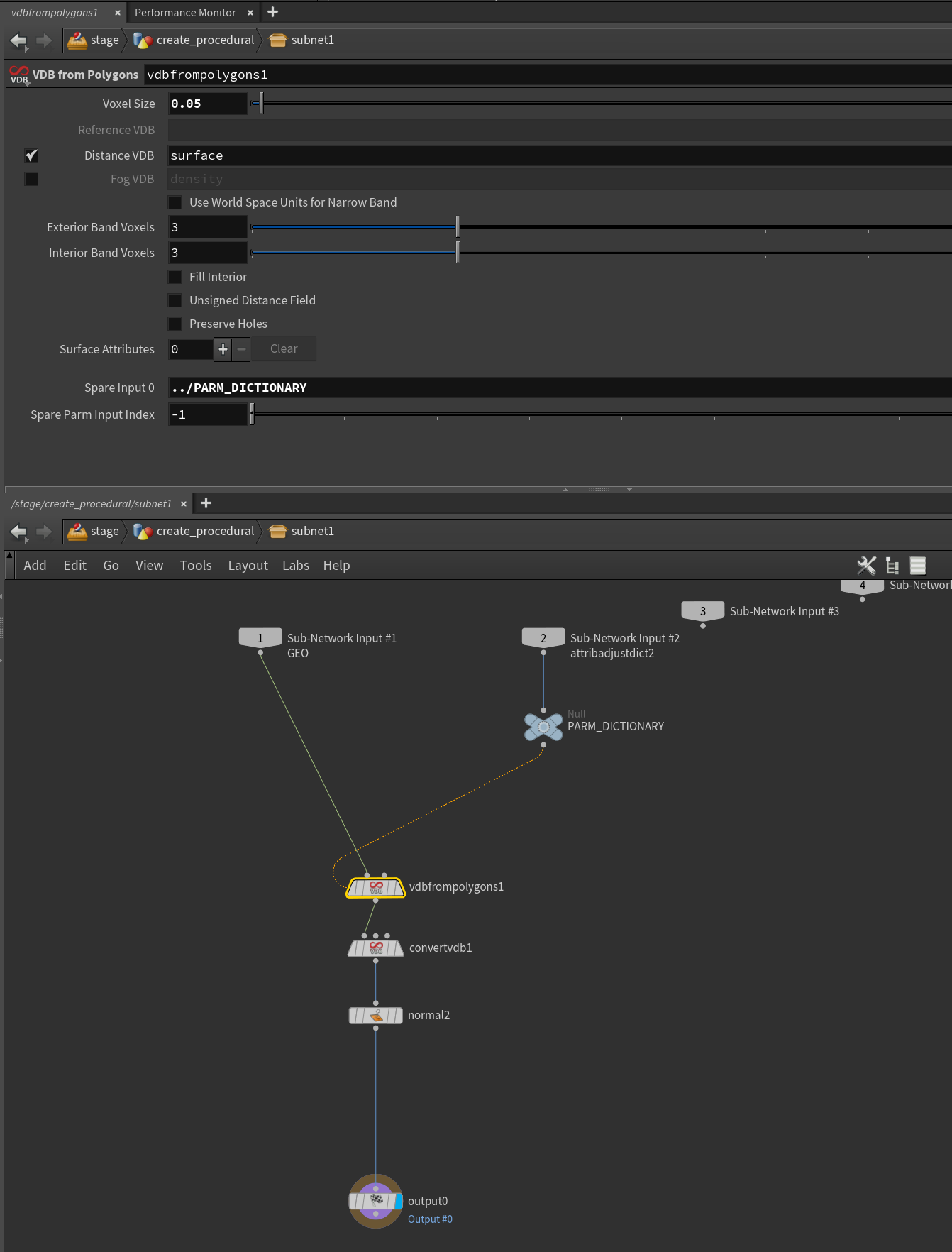
I got the (very simple test case) of the procedural working. In terms of rendering to MPlay, yeah you have to pass husk –allowed-procedurals all as the command.
hip file in case anyone is interested. I muddled through the explanation here (www.marcelruegenberg.com/blog/2025/01/14/hacking-houdini-solaris-procedurals) to put this together.
A few non-obvious things… One was that, to add parameters to the procedural, you have to pass in a dictionary into the second input of the subnet that you will use for the attribfromparm sop.
And that ends up getting referenced as a spare input to whatever you are modifying with the dictionary. Also need to add the spare parm input index parameter to let it know which spare parm to use for the overrides.
Testing everything using invokegraph helped me understand where things were broken in LOPS. So, seems best to work it all out in SOP-land, using that node to make sure everything is working before doing anything in LOPS.
Anyway, very little info out there about putting these rendertime procedurals together, so hopefully this is just a tiny bit more that can help somebody.
Attachments in this post:
http://fx-td.com/houdiniandchill/wp-content/uploads/discord/20264509/15/26/VDBConvertProcedural.mp4
http://fx-td.com/houdiniandchill/wp-content/uploads/discord/20264509/15/26/huskProcedural_01.hip
http://fx-td.com/houdiniandchill/wp-content/uploads/discord/20264509/15/26/image.png
Archived post by beatreichenbach
Hello everyone, I have released this Digital Asset for layout in Solaris. (Disclaimer: I haven’t used it extensively in production yet.) https://www.youtube.com/watch?v=zdEJcyOmgTg
Archived post by sniperjake945
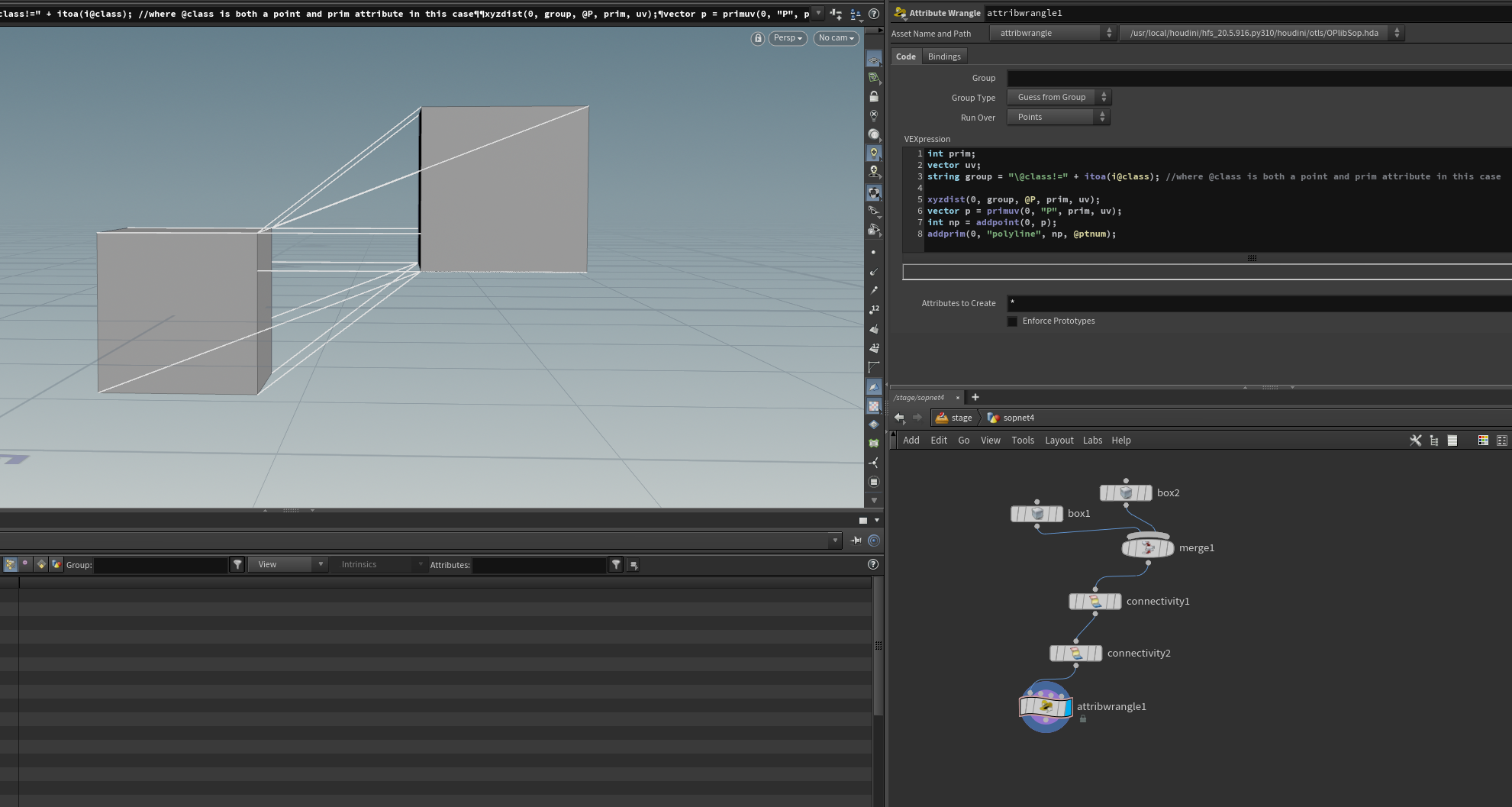
using the group mask like: “`c int prim; vector uv; string group = “@class!=” + itoa(i@class); //where @class is both a point and prim attribute in this case
xyzdist(0, group, @P, prim, uv); “`
heres an example where we draw lines using the result
Attachments in this post:
http://fx-td.com/houdiniandchill/wp-content/uploads/discord/20264309/09/26/image.png
Archived post by animatrix2k7
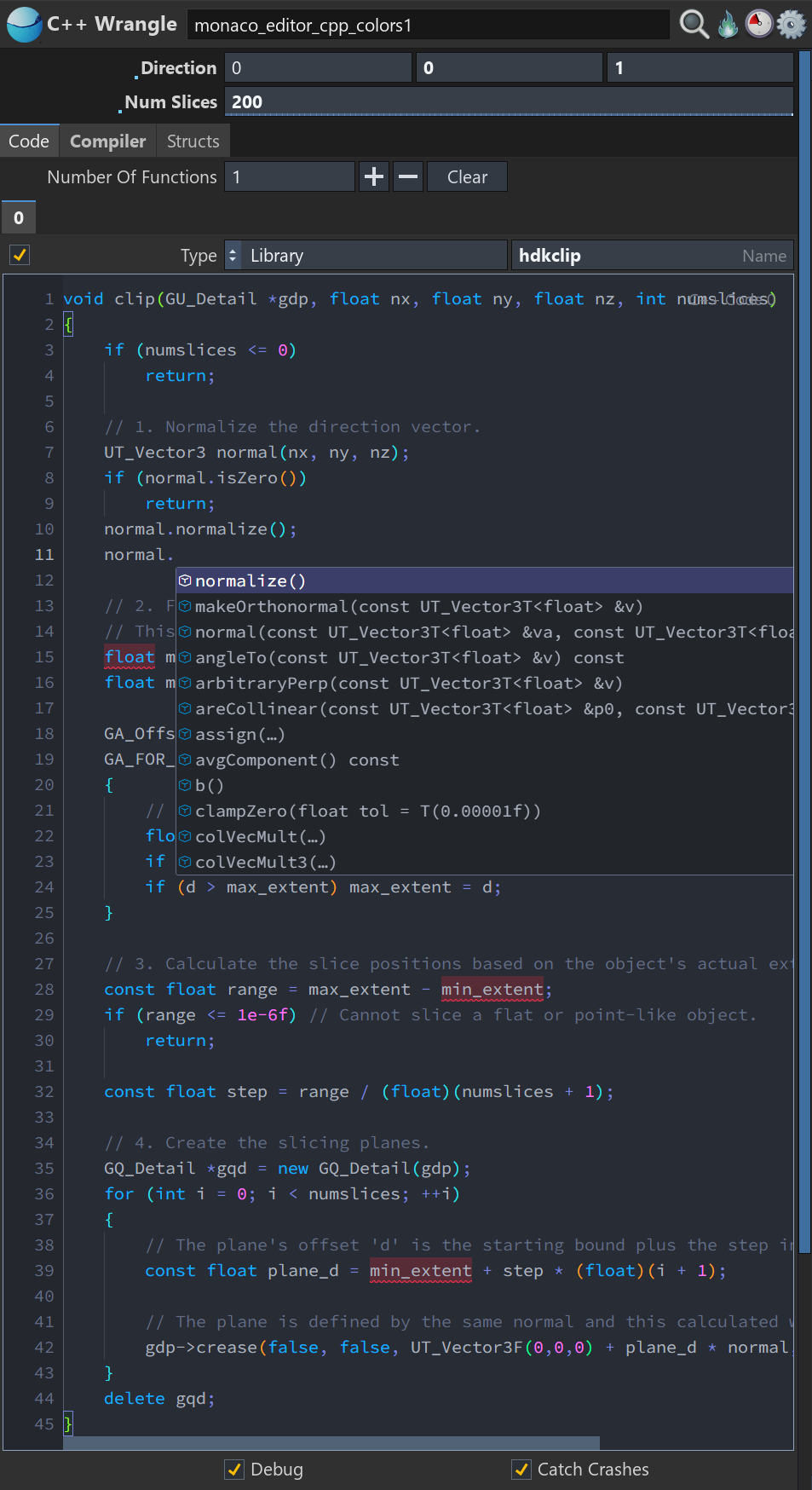
Full Monaco Editor integration with Houdini-aware language intelligence powered by the Language Server Protocol (LSP) for VEX, Python, OpenCL C, and C++/HDK.
VEX: Live attributes from the current geometry and connected inputs, with awareness of attribute class, type, tuple size, arrays, precision, groups, intrinsics, parameters, run-over mode, and input origin. Includes automatic type-prefix correction and context-specific functions discovered via vcc.
OpenCL C: clangd integration with awareness of Houdini #bind declarations, typed kernel arguments, live attributes and groups, SOP/DOP/COP contexts, binding access modes, supported methods, kernel options, language standards, and include paths.
C++/HDK: clangd-powered semantic type inference, member completion, overloads, macros, include resolution, diagnostics, and navigation using the installed HDK headers, compile definitions, and toolchain configuration.
Python: Pyright integration using Houdini’s installed Python libraries and the full hou API, with inferred HOM types and support for parameter expressions, callbacks, menu scripts, kwargs, node, geo, imports, functions, and classes.
Context-aware completion, signature help, hover documentation, diagnostics, go-to-definition, references, and symbols, all without cooking geometry to generate suggestions.
Attachments in this post:
http://fx-td.com/houdiniandchill/wp-content/uploads/discord/20264008/31/26/monaco4.png
http://fx-td.com/houdiniandchill/wp-content/uploads/discord/20264008/31/26/monaco3.png
http://fx-td.com/houdiniandchill/wp-content/uploads/discord/20264008/31/26/monaco2.png
http://fx-td.com/houdiniandchill/wp-content/uploads/discord/20264008/31/26/monaco1.png


Archived post by mysterypancake
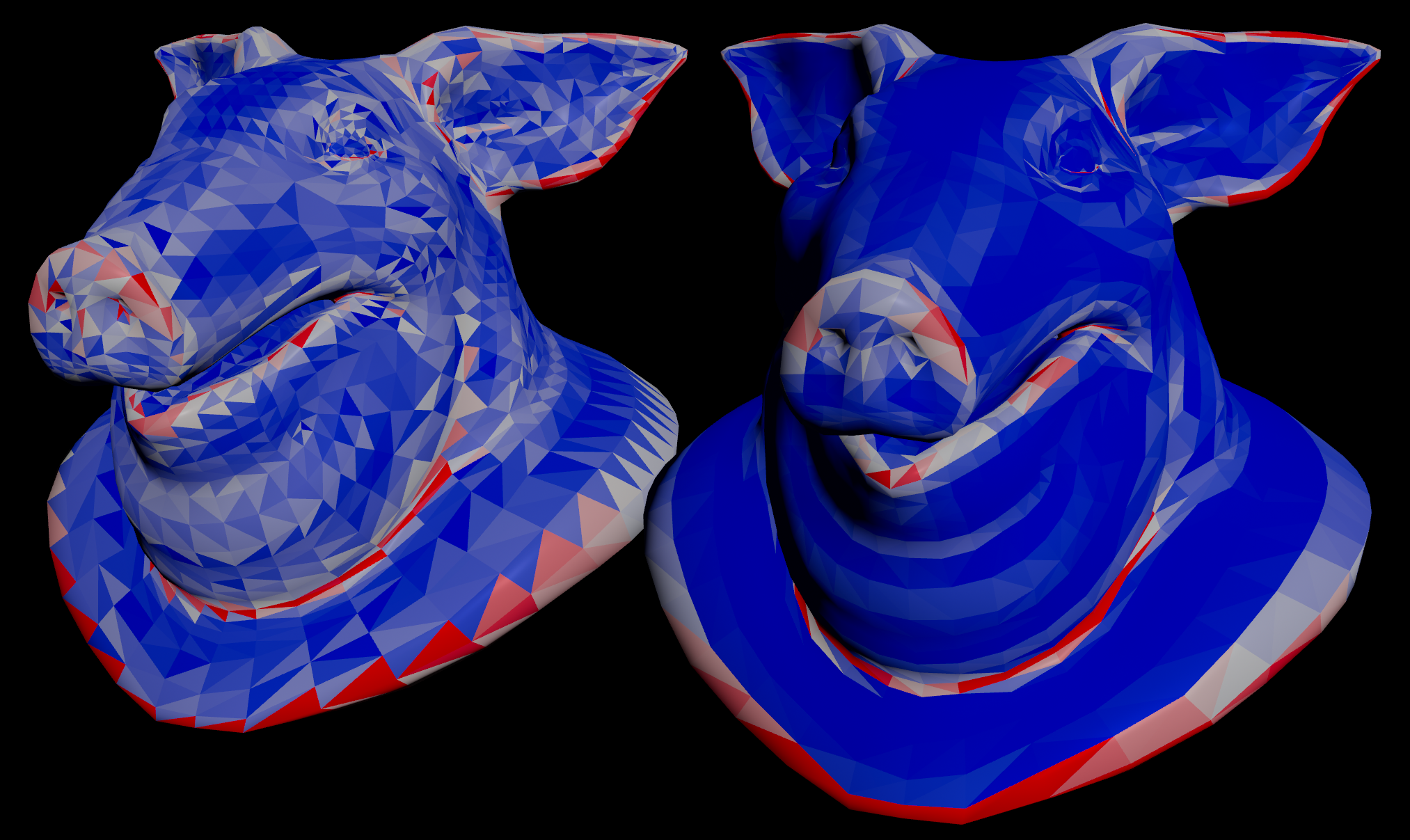
tried implementing a paper “Estimating Discrete Total Curvature with Per Triangle Normal Variation” by Crane He Chen
it uses the variation of the normals to represent curvature, seems to give cleaner results than the measure node (left)
github.com/MysteryPancake/Houdini-Fun/blob/main/README.md#fast-curvature-from-normals
Attachments in this post:
http://fx-td.com/houdiniandchill/wp-content/uploads/discord/20262108/31/26/fast_laplacian_curvature.png
Archived post by mysterypancake
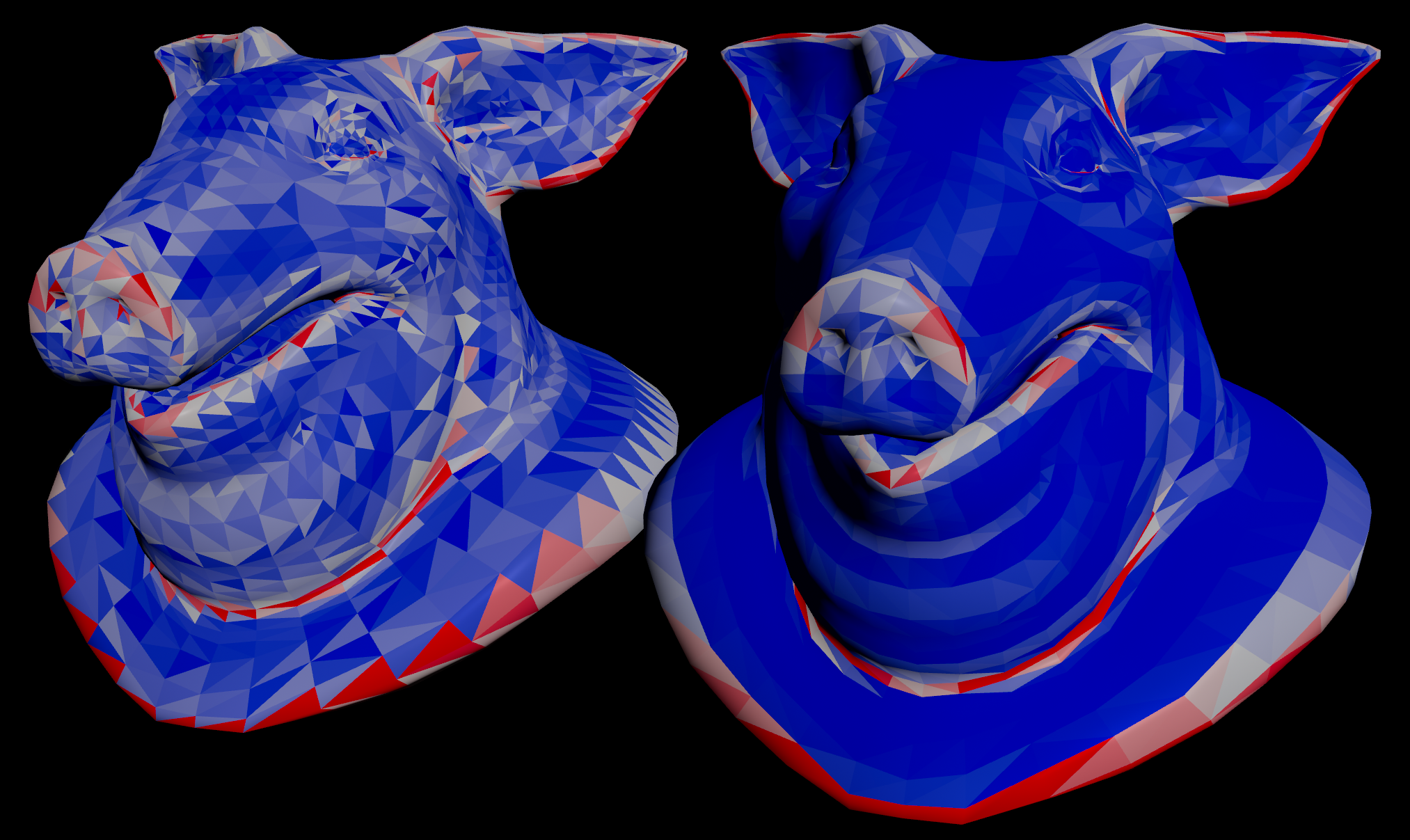
tried implementing a paper “Estimating Discrete Total Curvature with Per Triangle Normal Variation” by Crane He Chen
it uses the variation of the normals to represent curvature, seems to give cleaner results than the measure node (left)
github.com/MysteryPancake/Houdini-Fun/blob/main/README.md#fast-curvature-from-normals
Attachments in this post:
http://fx-td.com/houdiniandchill/wp-content/uploads/discord/20264908/31/26/fast_laplacian_curvature.png
Archived post by vanity_ibex
Oh yeah, should have probably put the file in here directly 😅 the point rasterizer has been made more or less obsolete by the rasterize gsplat node, but the dispersion distort is lots of fun!
Attachments in this post:
http://fx-td.com/houdiniandchill/wp-content/uploads/discord/20262108/21/26/point_rasterizedispersion_distortion.hiplc